

Mark employees as cross-trained
This one-page infographic is a handy, quick-reference guide that explains how to mark employees as cross-trained in TimeForge.
Download the flyer
Section titled “Download the flyer”Preview
Section titled “Preview”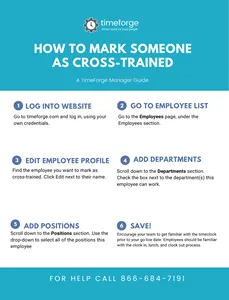
This one-page infographic is a handy, quick-reference guide that explains how to mark employees as cross-trained in TimeForge.